thunder::tech
01 / 17
← → or scroll
Content Experience Audit

MESSA.org

Your content team built strong material. Your campaigns get people to the site. What happens between the click and the answer is where members are getting lost.

thunder::tech · March 2026

What We Looked At

We walked through your site the way your members do.

We crawled every major page on messa.org, tested your search with real member questions, checked heading structure, navigation, and mobile content experience. We traced the paths a member takes when they need to find a doctor, look up a medication, get mental health support, or sign up for Teladoc.

We also looked at what's working. There's a lot of it. The Welcome page, the mental health hub, the menopause page, and the pregnancy page are standouts. The content is genuinely good. The gaps are in how people find it and what happens when they land on it.

What We'll Cover

1. Member journeys and where they break
2. Mobile content experience
3. Sitewide patterns (headers, H1s, search)
4. Hidden content and cross-linking
5. Copy consistency
6. Navigation restructure options
7. What's already working
8. Recommendations and next steps
Member Journey

A teacher looking for mental health support.

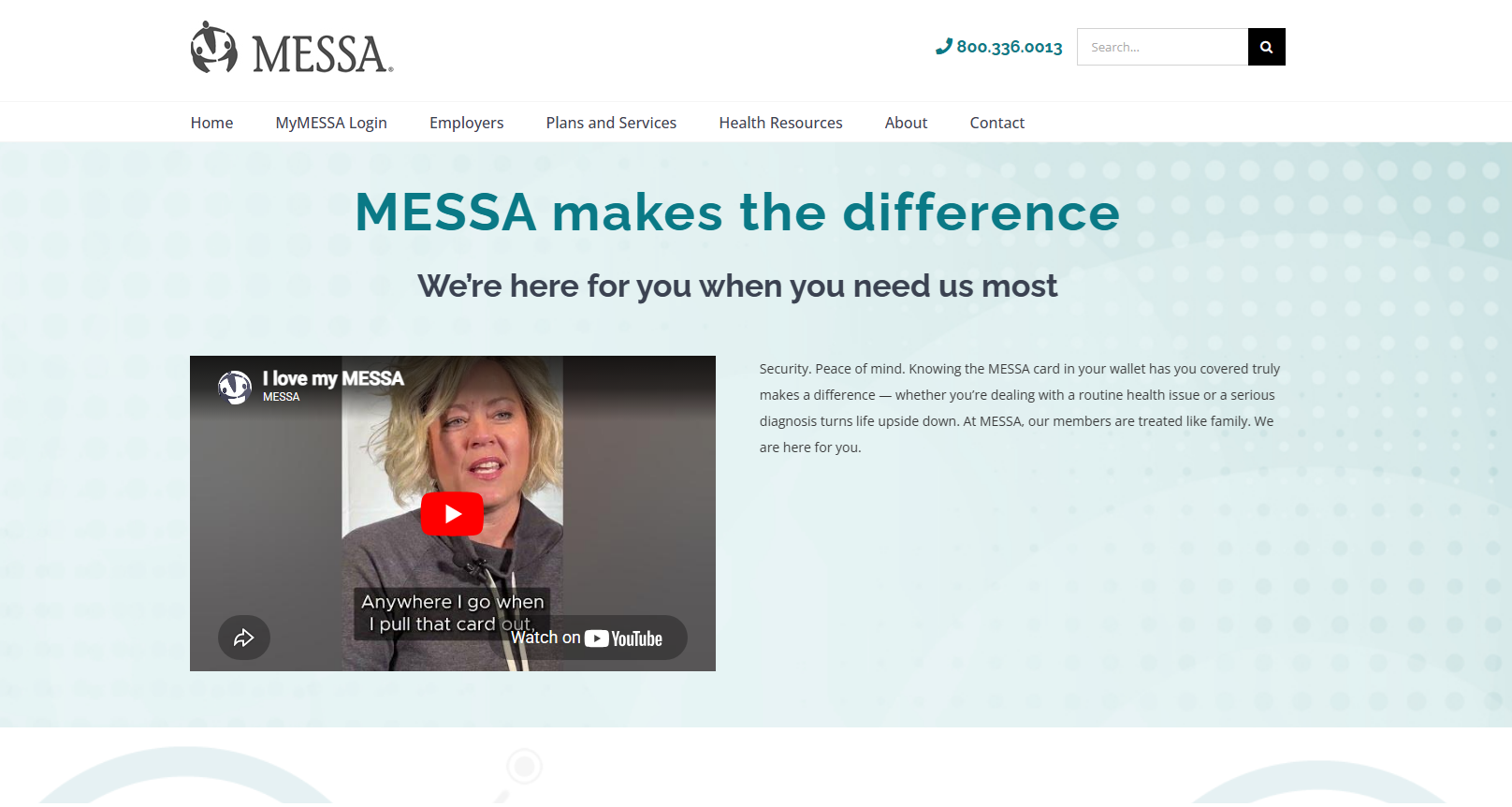
She clicked an Instagram ad. She's stressed, burned out. She lands on Here For You.

1

Lands on Here For You. Three member stories. Heartfelt.

2

Looks for a next step. A link to Teladoc. A button for mental health. Anything.

Nothing. Three stories, three quotes, the footer. No links to Teladoc, NurseLine, the mental health hub, or anything actionable.

You drove her there and she was ready. The page gave her feelings but no direction.
The fix

Add resource links after every story. "Learn about Medical Case Management." "Connect with Teladoc."
Add a "What can MESSA do for you?" section with pathways to Teladoc, MCM, NurseLine, the mental health hub.
All mental health ad campaigns should point to messa.org/mentalhealth — the newer, stronger page — not Here For You.
Screenshot
Here For You: desktop
messa.org/hereforyou/
Screenshot
Mobile: header eats the screen
messa.org/hereforyou/
Member Journey

A paraprofessional checking if her medication is covered.

1

Goes to Prescriptions. Good so far.

2

Has to know her plan type. ABC? Choices? Balance+? Essentials?

3

Has to know her tier. 3-Tier? 5-Tier?

4

Downloads a 127-page PDF. Opens it. Ctrl+F.

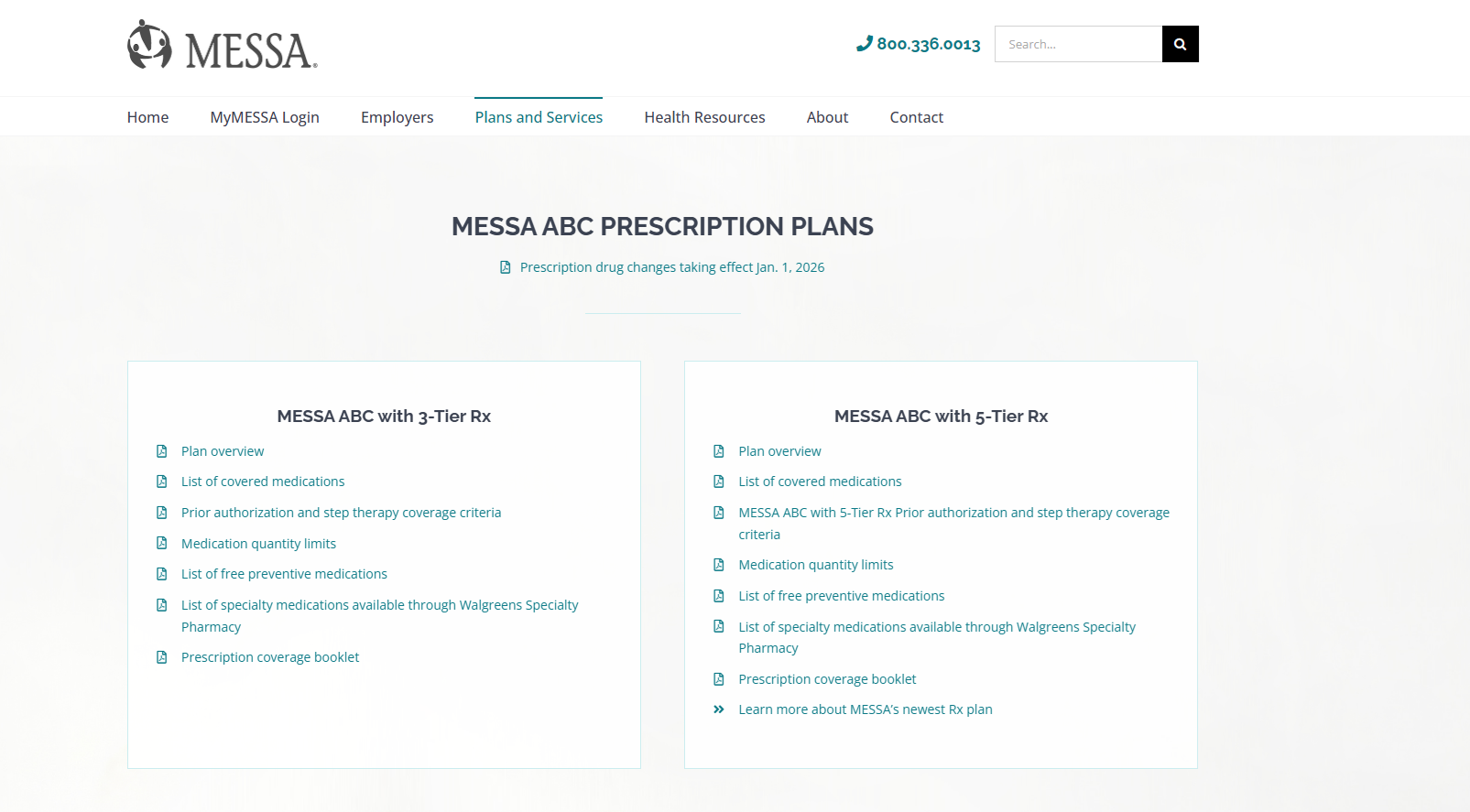
Four decision points before the actual task. The Rx Plans page has 53 PDF links.

The fix

Add a "Which plan am I on?" helper at the top. Members can check the plan tier printed on their MESSA card without logging in.
Add plain-language descriptions above each plan section. The pregnancy page already does this well with plan-specific accordions.

Concept: MESSA Card Helper

MESSA MEMBER CARD

Member: Jane Smith

ID: 123456789

Plan: MESSA ABC · 3-Tier Rx

"Look at your MESSA card. Your plan tier is printed right here."
Screenshot
Rx Plans: PDF wall
messa.org/rxplans/
Screenshot
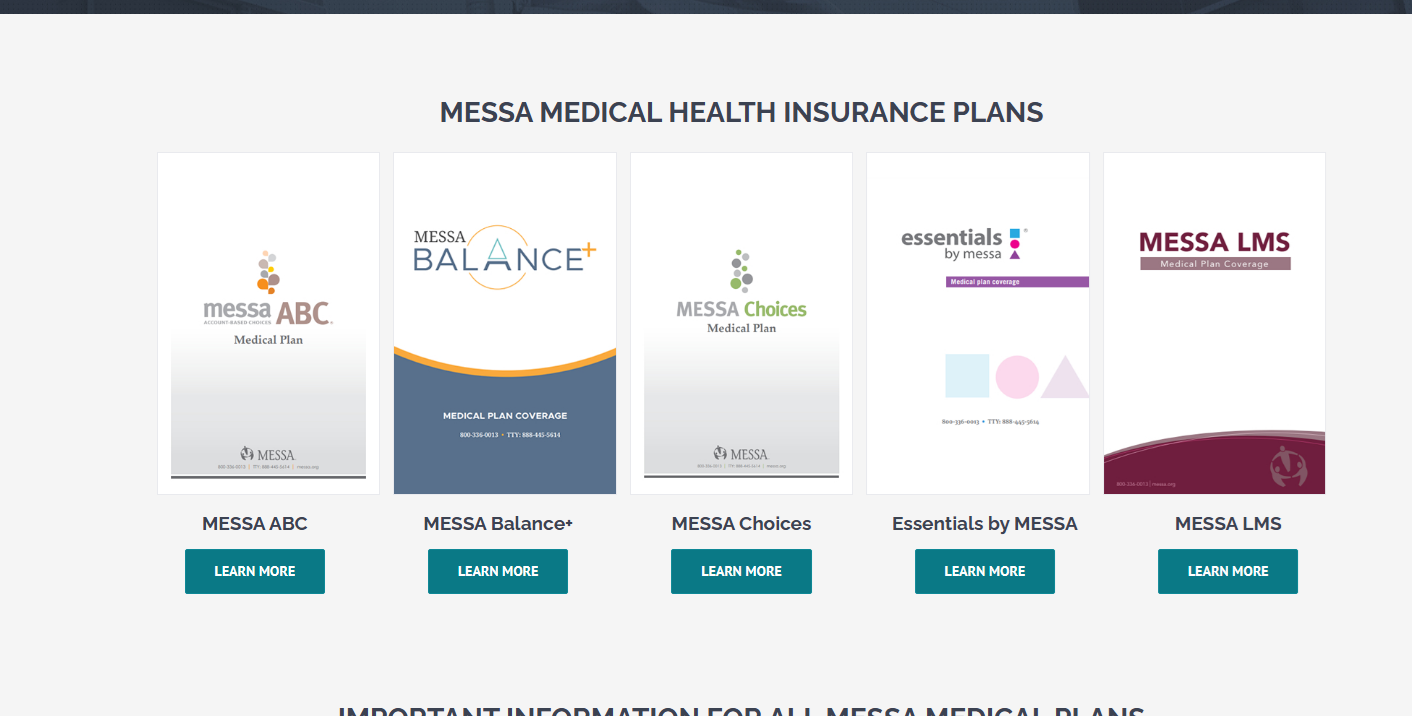
Plans: no descriptions
messa.org/plans-services/
Member Journey

A bus driver trying to register for Teladoc.

1

Finds the Teladoc page. Navigation works here.

2

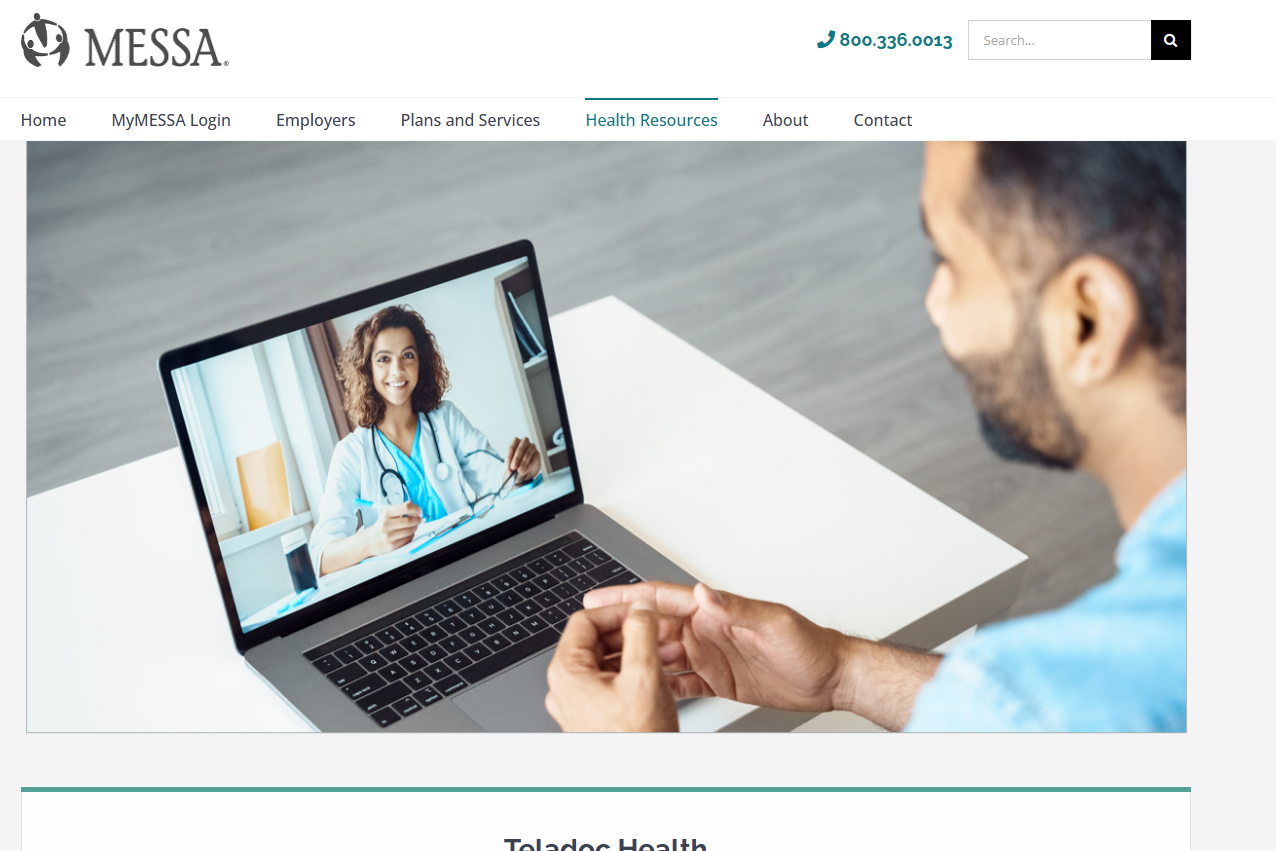
Massive hero image. Nice, but no register button visible.

3

Reads features. 24/7 Care, Mental Health, Virtual Primary Care. No button.

4

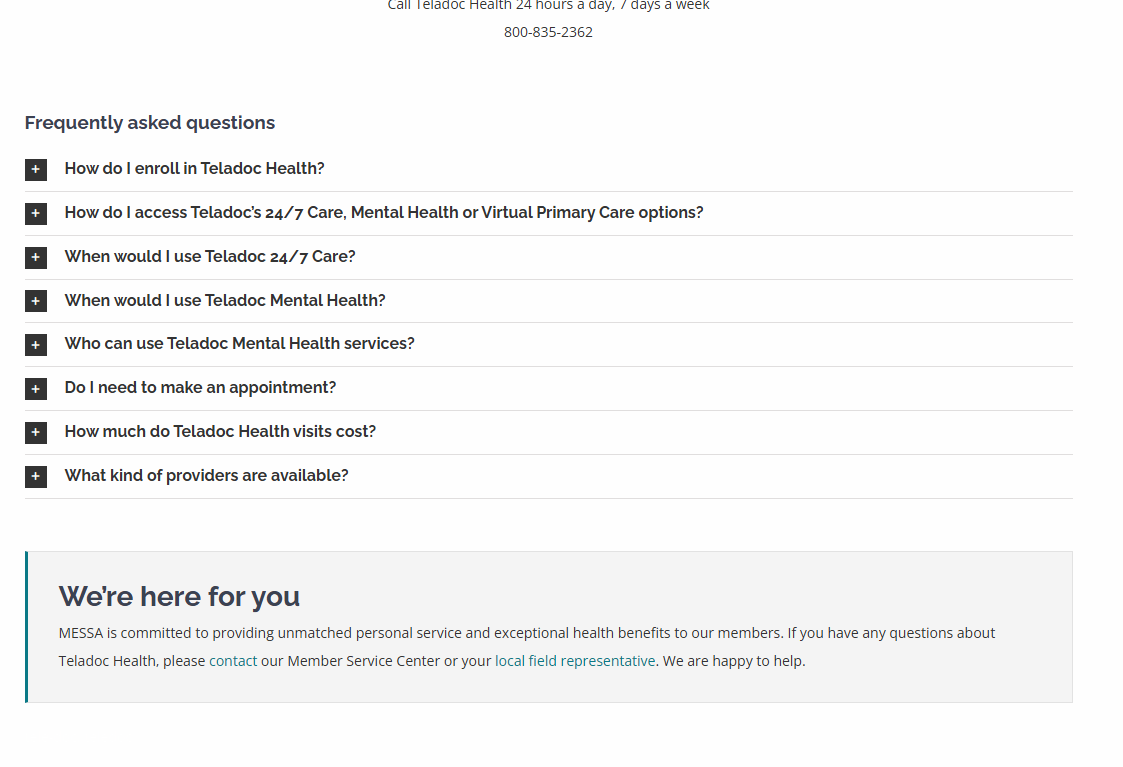
Wants to know cost. Hidden in a FAQ accordion.

5

"Go To Teladoc" is at the very bottom. The thing he came to do is the last thing on the page.
The fix

CTA at the top, not the bottom. A sticky CTA bar on mobile with the phone number (800-835-2362) and a "Get Started" button that stays visible as they scroll.
Separate CTA per service section. "Start 24/7 Care" after that section. "Schedule a Therapy Visit" after mental health. Each with its price right there: $10 copay for Balance+, $20 for Choices, etc.
Mental health coaching is free. That word doesn't appear until deep in the page. Lead with it.
Screenshot
Teladoc: big hero, no CTA
messa.org/teladoc/
Screenshot
Cost hidden in FAQ
messa.org/teladoc/ (FAQ)
Mobile Content Experience

Most of your members are on their phones.

Teachers checking benefits during lunch. Bus drivers looking something up between routes. The mobile experience is where the hero-size problem and the PDF problem hit hardest.
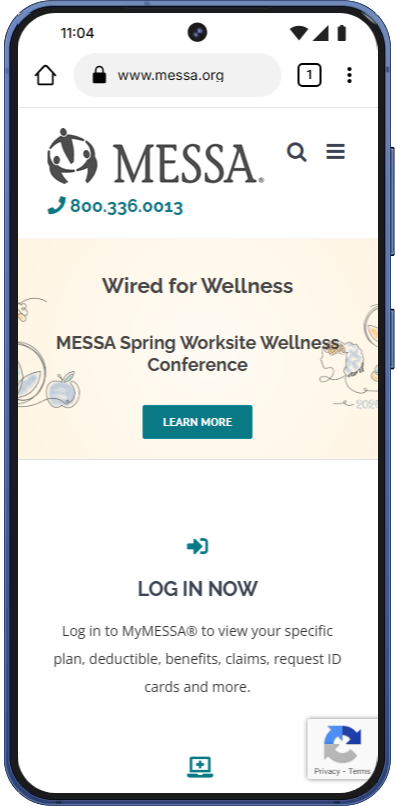
Homepage
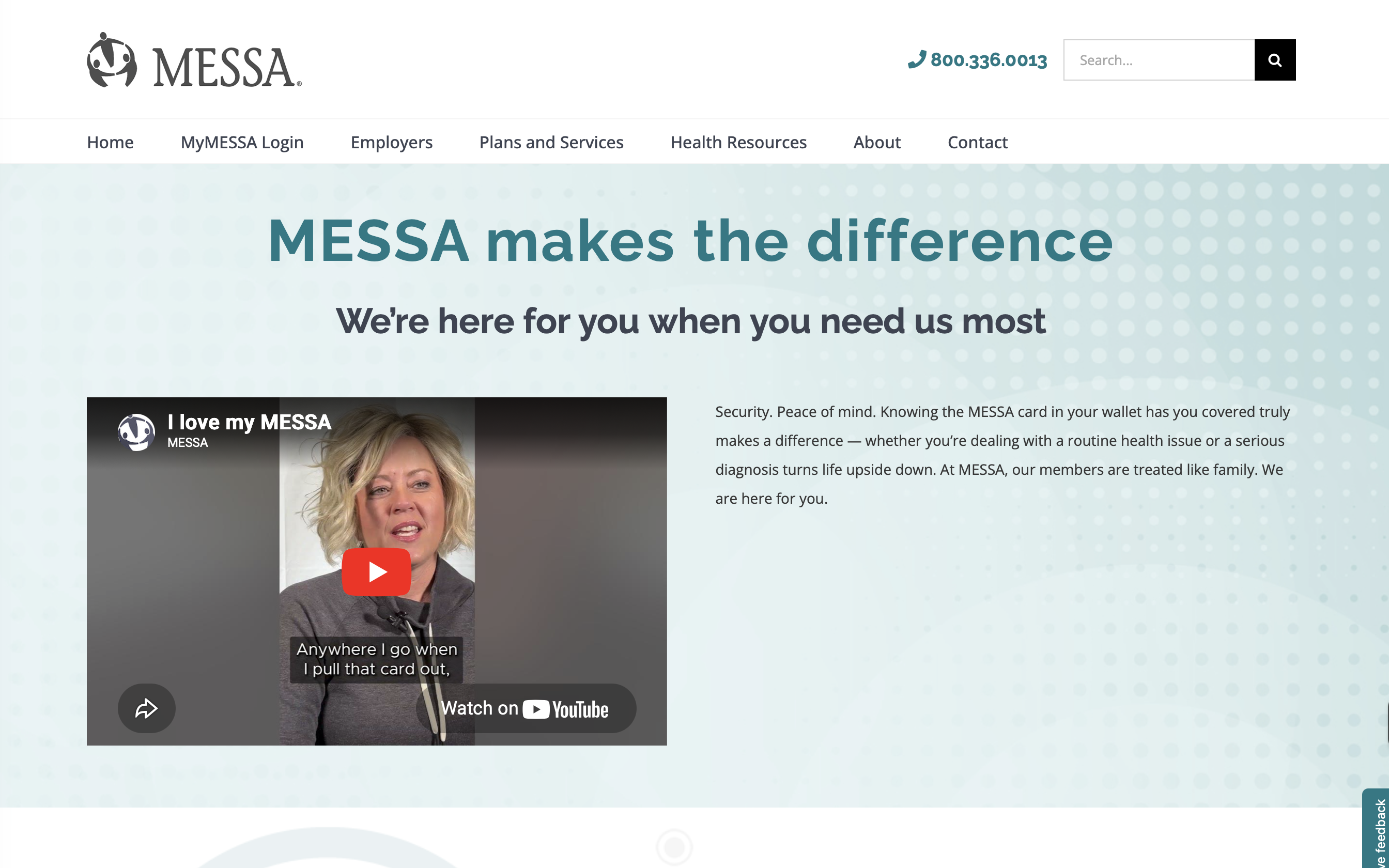
Portal login dominates

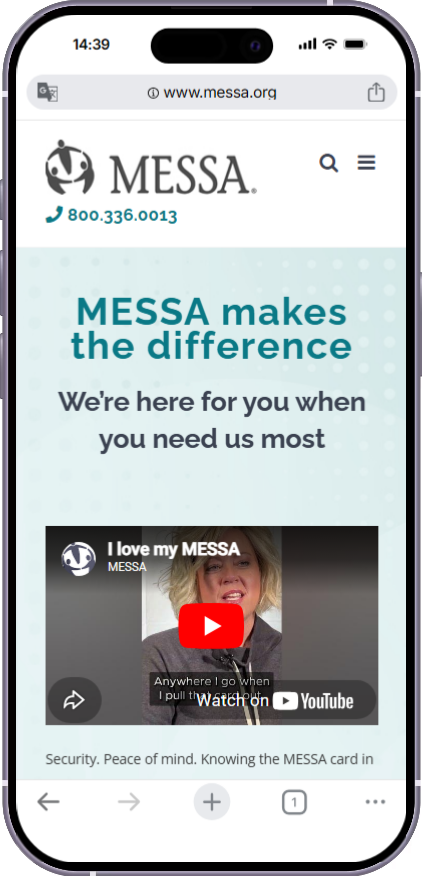
The entire first screen is the carousel and login. Content is several swipes down.
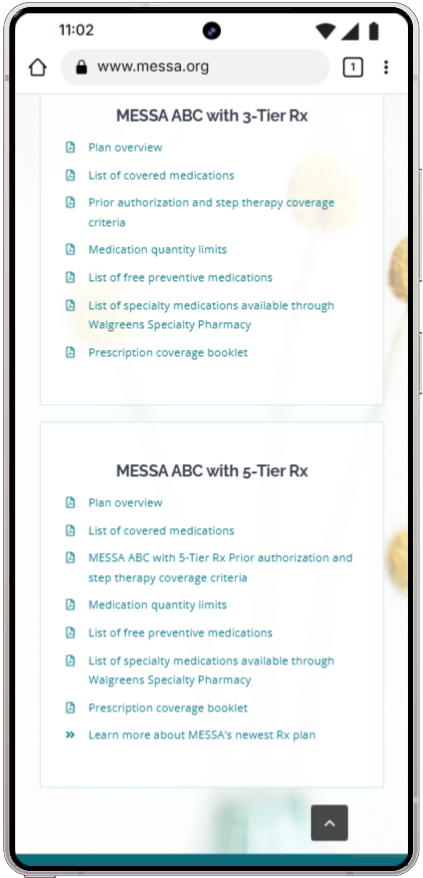
Rx Plans
53 PDF links on a phone

PDF links are nearly impossible to use on mobile. Can't search inside them, can't scan them.
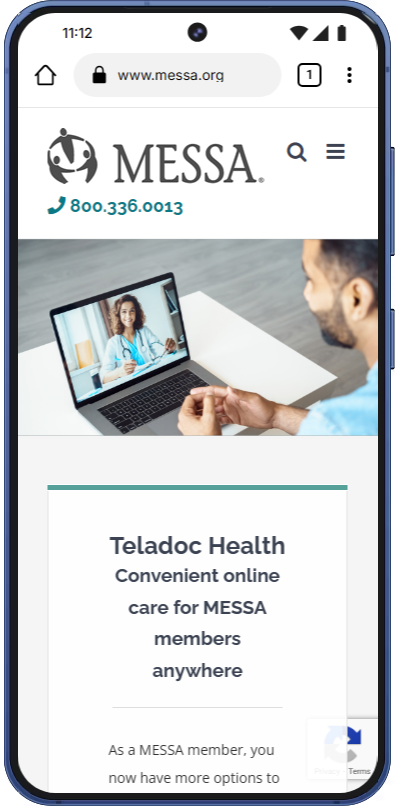
Teladoc
Hero before CTA

A sticky CTA bar at the bottom of mobile would catch members ready to act.

Recommendations: Shrink heroes so content appears in the first screen. Add sticky CTA bars on key pages (Teladoc, mental health). Convert the most-used PDFs to web pages. Test all critical paths on a phone.
Sitewide Pattern

Your headers are hiding your content.

The hero problem

Nearly every page starts with a large branded hero. Members know they're on MESSA. Their eyes skip the branding and look for content that isn't there yet because it's below the fold. On a school-issued laptop (1366×768), the entire first screen can be just the hero.

Affected: Here For You, Health Resources, Plans and Services, Teladoc, Menopause, Wellness Conference.

Benchmark: the first piece of actionable content should be visible without scrolling. The Welcome page already does this. That's the target.

Fix: Reduce hero sizes so content starts in the first viewport. Aim for heroes at 30-40% of screen height, not 80-100%.

What's an H1?

Every page needs a main heading that tells browsers, screen readers, and search engines what the page is about. Think of it like a chapter title in a book.

Right now, 11 of your 12 pages are missing theirs. It's like a book where every chapter starts with body text and no title. Screen readers can't announce what page the member is on. Search engines can't determine the topic. Your own site search gets confused.

This is likely a theme-level issue. One fix at the template level improves every page.

Fix: Add an H1 to every page. If it's an Avada theme issue, a single template change resolves it sitewide.
What Happens When Members Search

We typed what your members would type.

What they searchedWhat came back
"therapy"Hinge Health, 3-Tier RxNo mental health page
"breast pump"Pumpkin chicken chili (#2)Recipe in results
"mental health"Mental Health pageWorks
"does messa cover therapy"3-Tier Rx, SupplementalIrrelevant
"deductible"Blog posts about resetsNo plans page
"find a doctor"Vaccination articleFind Care is #2
"copay"Rx plan pagesWorks

The broken H1 structure contributes to this. Search and SEO both suffer when pages don't have clear heading hierarchies.
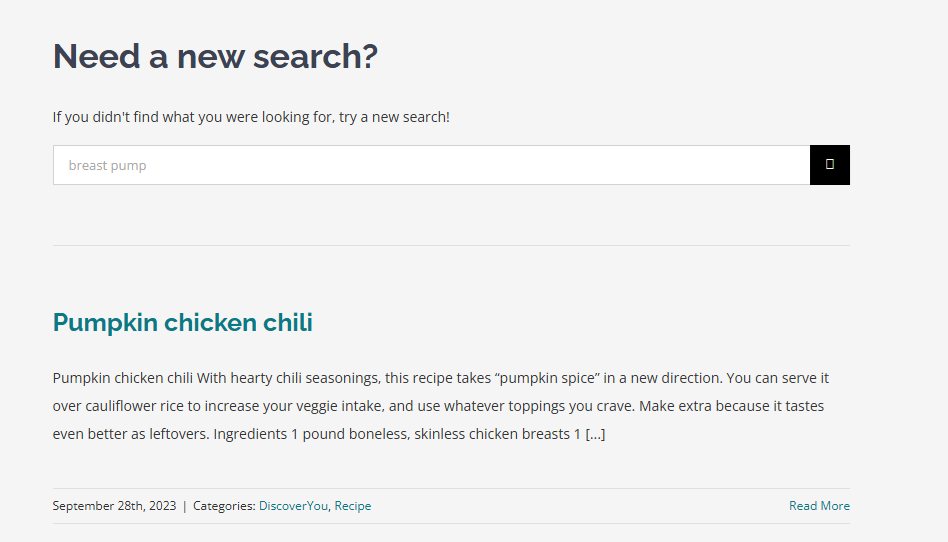
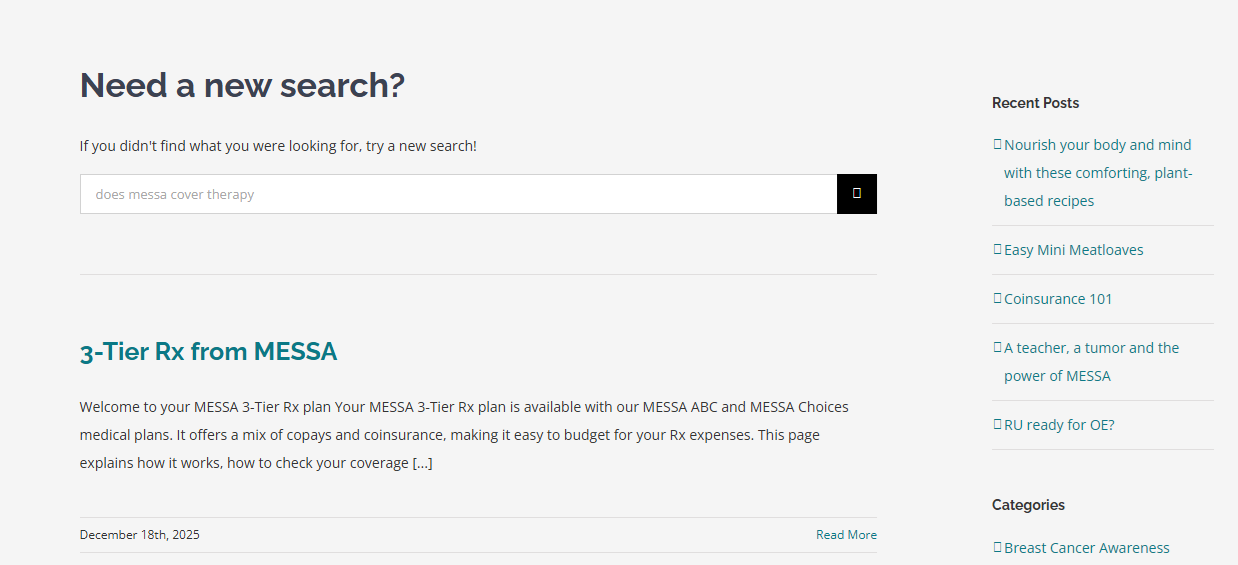
Fix: Improve page headings using member language. "Does MESSA cover therapy?" should be a heading on the mental health page. Longer term: a search plugin (Relevanssi or SearchWP) would dramatically improve results.
Screenshot
"breast pump" → chili recipe
messa.org/?s=breast+pump
Screenshot
"does messa cover therapy"
messa.org/?s=does+messa+cover+therapy
Your Best Pages Are Invisible

Great content with no front door.

Mental Health hub (messa.org/mentalhealth/) — Multiple pathways, 988 crisis line, covers in-person and virtual. Not in the nav.
Menopause page (messa.org/menopause/) — Clear structure, Hinge Health and Ovia links. Not in the nav.
Hinge Health (messa.org/hingehealth/) — $0 cost, menopause care, pelvic health. Not in Health Resources dropdown.
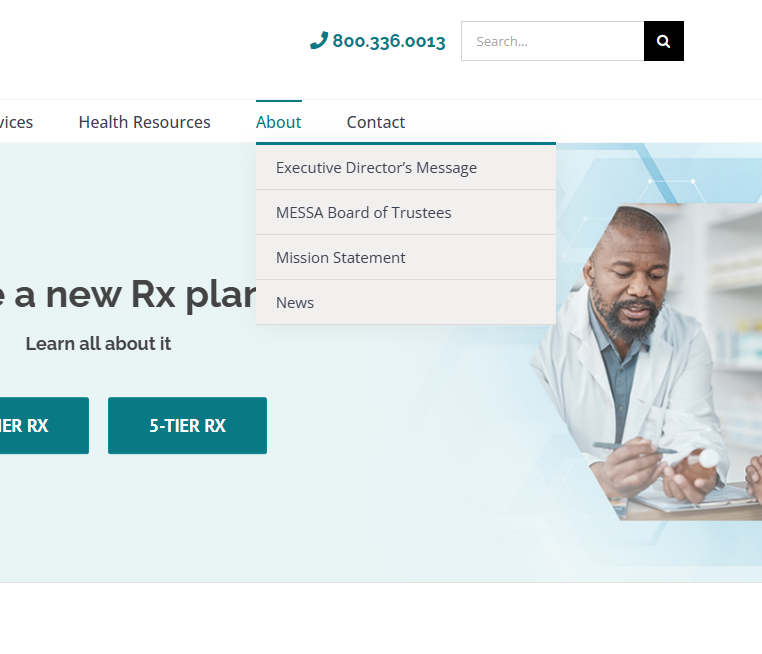
Discover You — wellness content buried under About, next to board of trustees.
Cross-linking barely exists. Hinge Health has a menopause section but doesn't link to the menopause page. The pregnancy page mentions postpartum mental health 6 times but never links to the mental health hub. The field rep finder appears on only 2 pages sitewide.

The fix

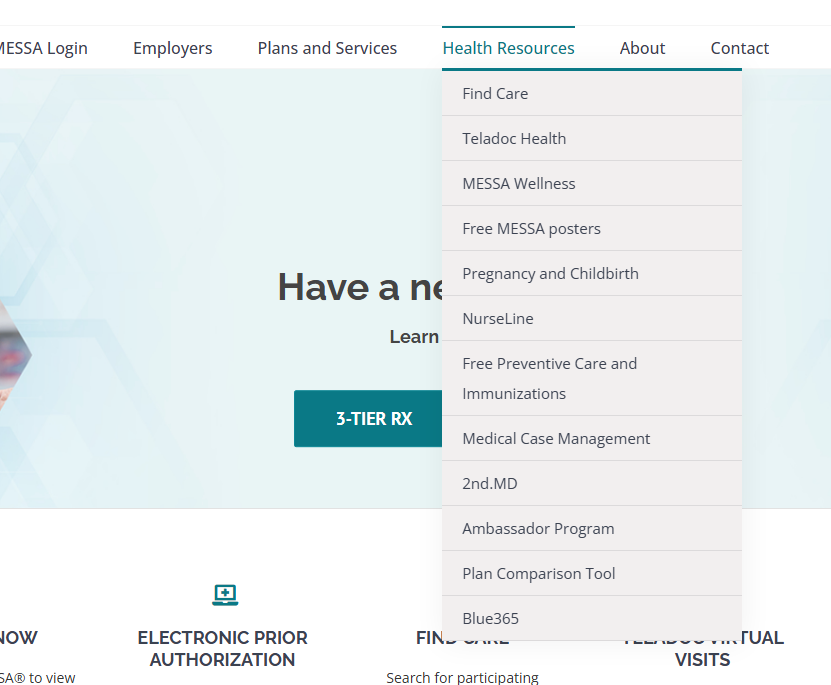
Add mental health, menopause, and Hinge Health to the Health Resources nav. Move Discover You out of About. Move Blue 365 and Ambassador Program out of Health Resources (they're miscategorized).
Build cross-links between related pages. Add the field rep finder to Contact, Here For You, mental health, menopause, and Welcome.
Screenshot
Mental Health (not in nav)
messa.org/mentalhealth/
Screenshot
Health Resources nav
messa.org (hover nav)
Screenshot
About nav: no Discover You
messa.org (hover About)
Copy Consistency

The small things that shape how the site feels.

CTA text has no system. "LEARN MORE" in all caps on the homepage. "Learn more" in sentence case on Plans and Services. "CONTACT US" and "Contact Us" both appear on the About page. "Get Started" in title case on Hinge Health. Each page feels like it was built by a different person at a different time.
Tonal whiplash on the homepage. Functional all-caps blocks (LOG IN NOW, ELECTRONIC PRIOR AUTHORIZATION) sit right above warm, personal testimonials. Neither tone is wrong on its own. The jump between them is jarring.
Stale content mixed with live content. Wellness Wednesdays lists November 2025 sessions alongside March 2026 ones with no distinction. Past events should be removed or clearly marked.

The fix

A copy editing pass. Pick one CTA format (sentence case is the standard) and apply it sitewide. Review the homepage for tonal consistency.
Remove stale content. Clear past Wellness Wednesday dates. Remove or update the 1095-B tax form callout.
Build a content expiration calendar. Seasonal items (tax callouts, conference registrations, dated event lists) need a retirement date built in.
If We Could Restructure the Navigation

One option for organizing around member needs instead of internal categories.

The current split between "Plans and Services" (12 items) and "Health Resources" (12 items) doesn't match how members think. Here's one way to break it up so no dropdown is overwhelming.

Page consolidation opportunity: NurseLine + Free Preventive Care + Immunizations could collapse into one "Preventive Care" page. Blue 365 moves to footer. Ambassador Program moves to About. Posters move to the Wellness worksite page. This needs a card sort or tree test with real members before implementation.

What's Already Working

The template for everything else.

These pages get the structure right: acknowledge the member's situation, show options, explain cost, link to the thing. Even these pages could benefit from tighter heroes, but the content approach is sound. The pregnancy page (messa.org/ohbaby/) is another standout: anchor links at the top, plan-specific accordions, a closing section that links to the service center, field rep, and app.
Screenshot
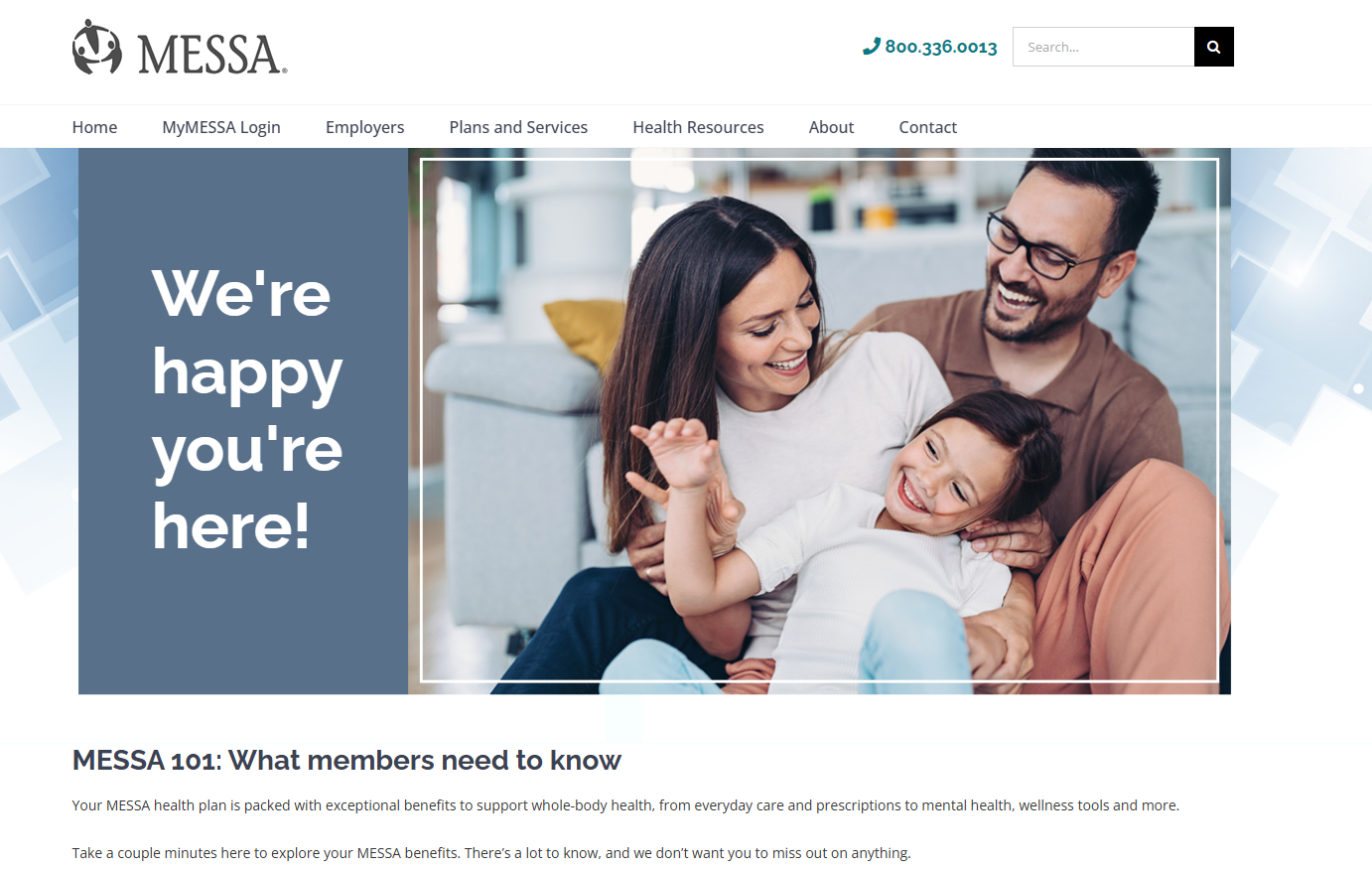
Welcome / MESSA 101
messa.org/welcome/

Welcome page. Content starts immediately. Clear CTAs. Surfaces the app, Teladoc, Hinge Health.

Screenshot
Mental Health hub
messa.org/mentalhealth/

Mental Health hub. Multiple pathways, 988 crisis line. Just needs to be in the nav.
Screenshot
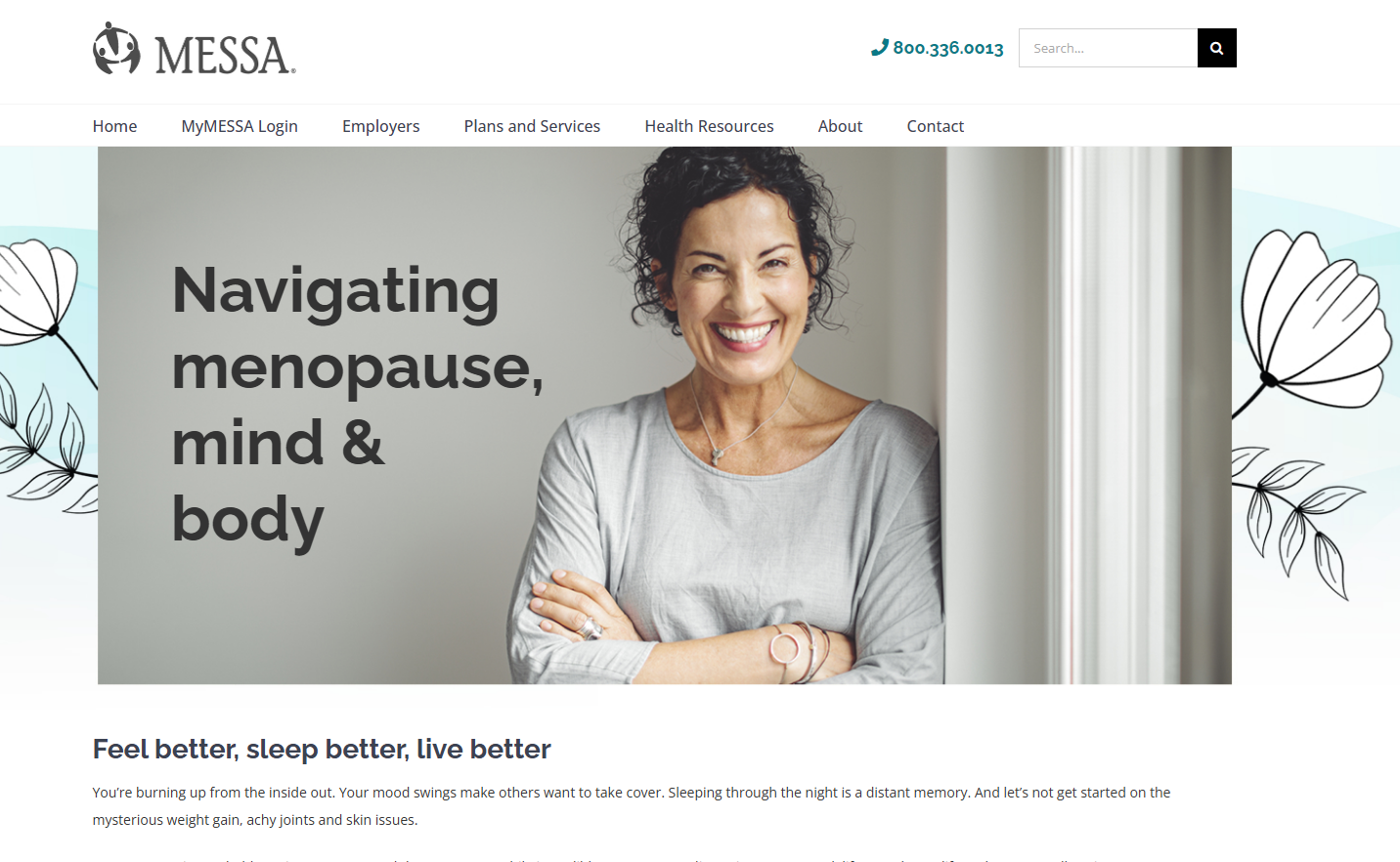
Menopause page
messa.org/menopause/

Menopause page. Clear structure, connects to Hinge Health and Ovia. Not in the nav.

Is this a website about health?

Or a website about health insurance?

The homepage is a portal launcher. Health Resources is a wellness hub. Plans and Services is an insurance desk. The answer to this question shapes what gets prioritized next.

Quick Wins

Everything we just walked through, in a list.

Content team scope. No platform changes needed.

1
Add resource links to Here For You
11
Shrink Wellness hero on Health Resources
2
Point mental health ads to /mentalhealth
12
Clarify Wellness is a worksite program
3
Move Teladoc CTA + price to top of page
13
Reduce "What We Offer" hero on Plans
4
Lead Teladoc mental health with "free"
14
Make Welcome page permanent in nav
5
Fix H1 sitewide (11 of 12 pages missing)
15
Cross-link Hinge Health ↔ menopause
6
Link mental health from Health Resources nav
16
Cross-link pregnancy → mental health hub
7
Link menopause from Health Resources nav
17
Add field rep to Contact, Here For You, Welcome
8
Link Hinge Health from Health Resources nav
18
Copy editing pass: standardize CTAs
9
Remove stale Wellness Wednesday dates
19
Move Blue 365 + Ambassador out of Health Resources
10
Remove or update 1095-B callout
20
Add MESSA card plan-tier helper to Rx page
Bigger Lifts

Moderate Effort

Add "Not sure which plan?" to the homepage carousel
Surface app download near the portal login
Add a persistent "New to MESSA?" nav link
Move Discover You out of About
Add plain-language summaries above plan thumbnails
Surface the Plan Comparison Tool prominently
Add a step-by-step flow for disability claims
Write short descriptions for top PDFs
Redirect old blog posts competing with hub pages
Build a content expiration calendar
Improve search headings and metadata
Consolidate: NurseLine + preventive care + immunizations into one page

Requires Planning or Platform Support

Sticky CTA bar on Teladoc + mental health (mobile)
Separate CTAs per Teladoc service section
Convert formulary drug lists to searchable web pages
Break Plans and Services into child pages
Simplify the poster order form
Install a search plugin (Relevanssi or SearchWP)
Add breadcrumbs on subpages
Card sort or tree test on navigation labels
Navigation restructure (see proposed option)
Comprehensive accessibility audit
Add XML sitemap

Next Steps

Where we go from here.

1

This document

We'll send over the detailed plain-text version with mobile content experience notes, hyperlinked quick fixes, and all screenshot references.

2

Quick wins

Your content team can start on the 20 items that need no platform support.

3

Share data

Heatmaps, GA4 access, call center top reasons, existing personas, field rep feedback. The more we see, the more precise the next round gets.

4

Broader presentation

We'll present to the full team when you're ready.

Closing

Michigan's teachers, bus drivers, paraprofessionals, and cafeteria staff deserve a site that works as hard as they do.

The content is there. Let's clear the path to it.

thunder::tech